How Frame Etsy Listings Mockup Streamlines Your Digital Shop Workflow
If you sell digital products on Etsy, you already know that the visual presentation of your listings can determine whether a browser becomes a buyer. Creating consistent, professional-looking mockups for each new product, however, often turns into a time-consuming bottleneck. This is where a dedicated Frame Etsy Listings Mockup becomes a practical asset in your daily workflow. Instead of starting from scratch with every listing, you can rely on a structured template that fits your brand, saves hours of design work, and keeps your shop looking cohesive. Let's walk through what this tool actually does, where it fits into your broader process, and how to get the most out of it without overcomplicating things.
What a Frame Etsy Listings Mockup Actually Is
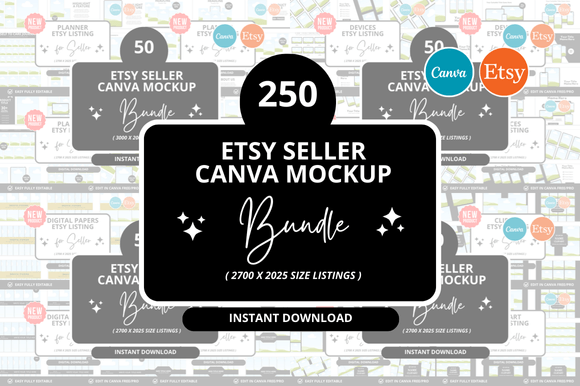
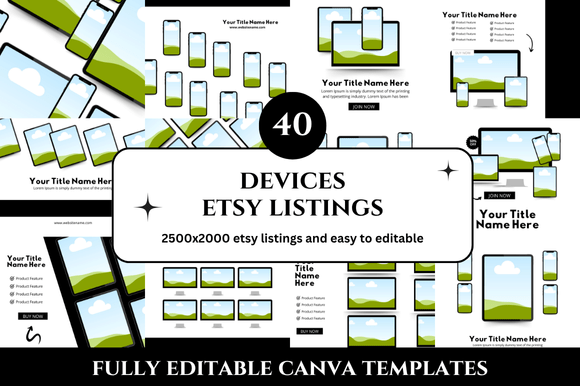
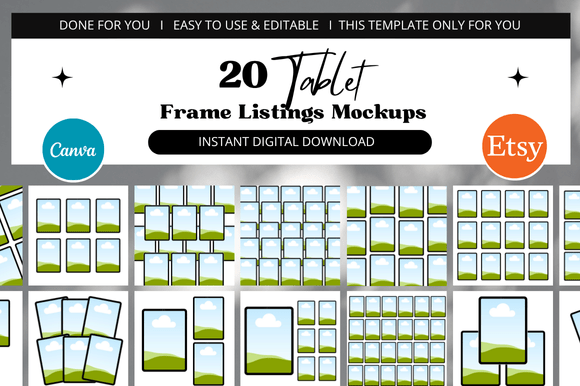
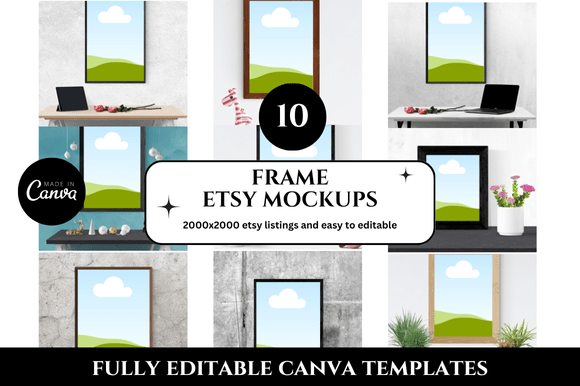
At its core, a Frame Etsy Listings Mockup is a pre-sized, customizable Canva template designed specifically for Etsy listing images. It comes as a 2000 x 2000 pixel square layout, which matches Etsy's recommended image dimensions for listings. The "frame" part refers to the built-in device or product frames—like laptop screens, phone displays, tablet bezels, or simple borders—that hold your digital product artwork. You drop your design into the frame, adjust the colors or text if needed, and export a polished listing image in minutes.
This is not a one-size-fits-all graphic. It is a workflow tool. The template acts as a reusable foundation that you can apply across multiple products, seasonal updates, or even different shops. Because it comes with bonus freebies and is delivered as a Canva link, you do not need advanced design skills or expensive software. You just need a Canva account and a few minutes per listing.
Where Frame Etsy Listings Mockup Fits in Your Process
Understanding when to reach for this template matters as much as knowing how to use it. The mockup can serve you at different stages of your product creation and shop management cycle.
Before Launch: Planning and Batch Preparation
If you plan to release a new set of digital products—printables, planners, wall art, or any downloadable asset—the mockup helps you prepare all your listing visuals in advance. Open the template, duplicate the page for each product, and insert your designs. This batch approach means you can create ten or more listing images in a single sitting rather than designing each one separately. When you are ready to list, your images are already waiting. This smooths the gap between product creation and shop publication.
During the Listing Process: Consistency and Speed
When you are actively adding listings to your Etsy shop, the mockup reduces decision fatigue. You do not need to wonder about layout, font placement, or image proportions. The frame is already set. You simply swap in the new product artwork, adjust any text overlay (such as the product name or size), and download. For sellers who manage multiple shops or cross-list on platforms like Creative Market or Gumroad, having a consistent template makes it easier to maintain brand recognition across different marketplaces.
After Launch: Updates and Seasonal Rotations
Shops that stay active often refresh their listing images for holidays, new seasons, or branding updates. Because the Frame Etsy Listings Mockup is a Canva template, you can return to it months later, change the background color or frame style, and generate updated images without rebuilding from scratch. This is especially useful if you sell products that remain available year-round but benefit from timely visuals—think Christmas planner inserts or back-to-school printables.
How It Interacts with Other Tools and Resources
A single template never exists in isolation. The real value of this mockup comes from how it connects with the rest of your toolkit.
- Canva itself is the primary environment. You can use the template with Canva's free version, though a Pro account gives you access to a larger library of stock photos, fonts, and elements that can enhance your frame mockups. The template's link-based delivery means you can share it with a virtual assistant or team member who also works on your shop visuals.
- Product creation software (like Adobe Illustrator, Affinity, or even Canva's own design tools) feeds into the mockup. You design your digital product separately, then bring a flat PNG or JPG of that design into the frame template. This separation keeps your product files and your marketing images organized.
- Etsy's listing dashboard is the final destination. You export the mockup image at 2000 x 2000 pixels, which matches Etsy's optimal ratio for search results and zoomed views. No cropping or resizing is needed at upload time.
- Bonus freebies included with the download often contain coordinating elements like matching banners, social media graphics, or additional frame styles. These extras let you extend the same visual theme to your Etsy shop banner, Instagram posts, or Pinterest pins without extra design work.
Practical Implementation Tips for a Clean, Professional Look
Getting a good result from a Frame Etsy Listings Mockup is not about adding as many elements as possible. It is about clarity and consistency. Here are specific ways to make the template work for you.
Prepare Your Product Files First
Before you open the mockup, have your product artwork ready. Export it as a high-resolution flat image (PNG or JPG) with a transparent or solid background as needed. If your product is a planner page, a wall art print, or a digital sticker sheet, make sure the design is final. Dropping a draft into the mockup and then having to redo it later wastes the time the template is supposed to save.
Customize the Frame and Background Thoughtfully
Most Frame Etsy Listings Mockups include options for different device frames or colored backgrounds. If your shop aesthetic leans minimalist, choose a simple white or light gray background with a clean laptop frame. If your brand is bold, pick a vibrant background that complements your product colors. The frame should support the product, not compete with it. Look at your best-selling listings and note what visual style they share. Apply that same style to the mockup.
Keep Text Overlays Minimal
Etsy listing images already have a title and description nearby. Your mockup image does not need to repeat everything. A short tagline, the product name, or a key feature (like "Instant Download" or "A4 & US Letter") is enough. Use the same font across all your listings. This builds recognition and makes your shop look cohesive at a glance.
Organize Your Template Files from the Start
When you receive the Canva link, save a copy to your own Canva account immediately. Name the template something clear, like "Etsy Listing Frame Mockup – Base." Keep a separate folder in Canva for your completed listing images. This prevents you from accidentally overwriting the original template and gives you a clean workspace for each batch of products.
Usability and Compatibility Considerations
Not every mockup works the same way, so it pays to check a few details before you rely on it for all your listings.
- Device frames should match the type of product you sell. If you sell digital planners, a tablet frame makes sense. If you sell printable wall art, a simple border or a wall-mounted frame mockup is more appropriate. The "Frame Etsy Listings Mockup" in question typically offers variety, but verify that the included frames align with your product category.
- Color customization should be straightforward. The template ought to use Canva's color picker so you can change backgrounds, frame accents, and text colors with a click. If elements are locked or flattened, you lose flexibility. Good templates keep frame layers editable.
- File size and export settings matter for Etsy. Export your final image as a PNG for the best quality. Check that the canvas size stays at 2000 x 2000 pixels after you add your artwork. Some templates include padding or borders that slightly shrink the usable area. Test one listing image before you batch-produce the rest.
Long-Term Use and Workflow Efficiency
The real return on investment from a Frame Etsy Listings Mockup shows over months and years of shop operation. Once you build a library of listing images using the same template, your shop gains a visual consistency that helps customers trust your brand. They recognize your listings in search results, and that familiarity can improve click-through rates.
For sellers who release new products weekly or monthly, the template becomes part of a repeatable system. You set aside an hour every week to batch-create listing images. Open the template, insert new product shots, adjust text, export, and upload. No second-guessing, no hunting for the right size, no starting over. Over time, that hour per week saves you several hours per month compared to designing each listing individually.
If you work with a team or outsource listing creation, the Canva link makes collaboration simple. You share the template with a designer or virtual assistant, set guidelines for colors and fonts, and let them produce images that match your standards. The template acts as a style guide embedded in a working file.
Quality Control and Consistency Checks
Even with a reliable template, small errors can slip through, especially when you are producing multiple listings quickly. Build a quick checklist into your workflow:
- Is the product artwork placed correctly inside the frame? Check that no edges are cut off unevenly.
- Is the text spelling and capitalization consistent with your other listings?
- Does the background color match your current shop theme?
- Is the file exported at exactly 2000 x 2000 pixels?
- Does the image look clear when zoomed to 100%?
Running through this list for the first image of each batch only takes a minute. It prevents you from uploading an entire set of images with a misaligned frame or a typo that you would have to fix later.
Adapting the Mockup for Different Product Types
If your shop sells multiple categories—say, digital planners, printable wall art, and sticker sheets—you might wonder whether one frame mockup can cover everything. The answer depends on how the template is built. A good Frame Etsy Listings Mockup includes at least two or three frame variations. You can use a laptop frame for your digital planners (since customers like to see the product on a screen), a simple border for your wall art (to show how it looks framed), and a phone frame for mobile-friendly products. If the template you have does not include that range, consider buying a bundle that gives you more flexibility, or create your own variations by duplicating the base template and swapping frame elements manually.
Final Thoughts on Integrating Frame Etsy Listings Mockup into Your Routine
The value of a listing mockup template is not in its visual flair—it is in the structure it brings to a repetitive task. By removing the guesswork from image creation, you free up mental energy for product development, customer service, and shop optimization. Whether you are a new seller just launching your first few items or an established shop owner managing dozens of listings, a clean, professional frame mockup gives you a foundation you can rely on week after week.
Start by setting up the template exactly as you want your default listing image to look. Save that as your master file. Then, for each new product, duplicate the master, drop in your artwork, and export. Over time, that simple sequence becomes second nature. You will spend less time wrestling with design software and more time building your business. That is the whole point of using a tool like this in the first place.