5 Frame Border Journal Template: A Practical Tool for Digital Sellers
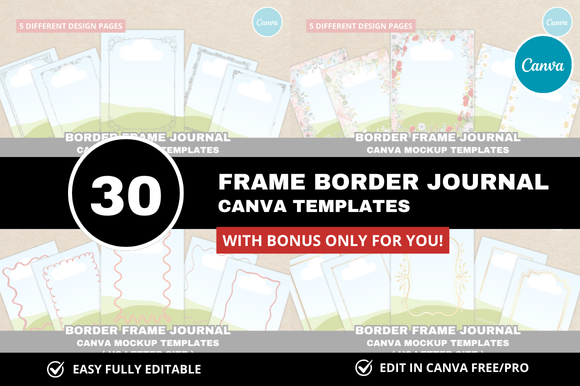
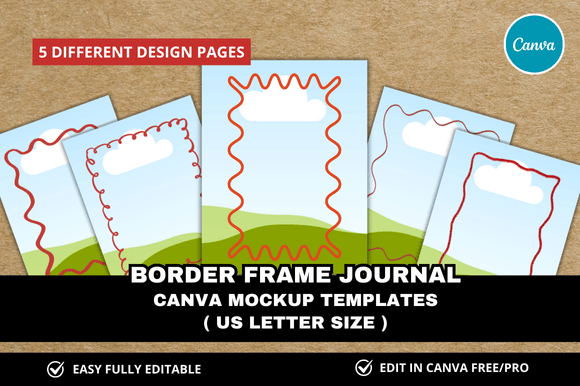
If you sell digital products on Etsy, you already know how much time product photography and listing design can consume. A 5 Frame Border Journal Template is a ready-made Canva mockup that lets you showcase your journal, planner, or printable products inside five distinct border frames. Instead of designing each listing image from scratch, you simply drop your product artwork into the template, adjust the colors or text if needed, and export polished visuals in minutes.
This particular bundle comes as an instant download with customizable Canva mockups, sized for US Letter paper, and includes bonus freebies. It is designed for digital sellers who want a clean, professional look without hiring a graphic designer or spending hours in editing software. The frames themselves are styled around journal and planner themes, making them ideal for products like bullet journals, gratitude diaries, fitness trackers, or habit planners.
Who Benefits from This Template
The 5 Frame Border Journal Template appeals to a broad audience. If you are a beginner just launching your Etsy digital shop, you might feel overwhelmed by the need to create consistent, attractive listing images. This template gives you a head start with five pre-built mockups that already look polished. More experienced sellers appreciate the time savings, especially if they manage multiple listings or regularly update their product photography.
Printables sellers, planner creators, and journal designers are the most obvious users, but the template also works for educators selling classroom resources, bloggers promoting digital downloads, and small business owners who want cohesive branding across their Etsy shop. The clean, versatile design means you are not locked into one aesthetic, and you can adapt the frames to match your own color scheme or logo.
What Makes This Different from Generic Mockups
Generic mockups often show a single frame or a flat product image. The 5 Frame Border Journal Template gives you five different border styles within one set, which adds variety to your listing photos without extra effort. Each frame is thoughtfully designed to complement journal-style products, so the borders look intentional rather than generic. The US Letter size is practical for most printable products, and the Canva format makes customization accessible to anyone, even if you have never used design software before.
The bonus freebies included with this bundle further increase its value. Freebies might include additional borders, matching background textures, or extra mockup angles, all of which help you create a more complete shop appearance. Because everything is delivered as a Canva link template, you do not need to install fonts or download large files. You just open the template in Canva, replace placeholder images with your own, and export.
Practical Uses for the Template
Consider a few realistic scenarios. If you sell a 90-day gratitude journal, you can use one of the five border frames to show the cover, another frame for an inside spread, and a third for a sample page. This creates a cohesive listing with five distinct images that all feel like part of the same product line. You might also use the template to create a banner for your Etsy shop, a social media teaser, or a Pinterest pin that directs people to your listing.
Another common use is for Etsy listing mockups. Buyers want to see what the digital product looks like when printed or placed in a journal. The border frames provide a realistic context, making your product feel tangible. Because the template includes multiple frames, you can show different formats, such as a full-page planner, a half-page weekly spread, or a dot grid page with decorative corners. This versatility helps customers visualize how they would actually use your digital download.
Some sellers also repurpose the template for non-journal products. If you sell digital art prints, for example, the border frames can act as a framing effect around your artwork. If you sell stickers or clip art, the frames offer a neat way to display individual designs. The key is that the template is flexible enough to adapt to different product types while maintaining a clean, professional look.
Important Considerations Before Using
While the 5 Frame Border Journal Template is straightforward, a few things are worth keeping in mind. First, because the template is delivered via Canva link, you need a free or paid Canva account to access and edit it. Canva offers generous free features, but some elements or fonts might require a Pro subscription. Check the product description to see if all included elements are free-tier compatible or if certain assets need a Canva Pro upgrade.
Second, the frames are designed for US Letter size, which is 8.5 by 11 inches. If you primarily sell products in A4, square, or other dimensions, you may need to adjust the canvas size or scale the frames. This is usually simple in Canva, but it is worth noting if your products are non-standard sizes.
Third, remember that mockups are meant to enhance your listing, not replace clear product descriptions. Even the most beautiful frame will not sell a product if the listing copy is vague or confusing. Use the template to create strong visual first impressions, but pair it with detailed descriptions, accurate dimensions, and clear usage instructions.
Getting Started with the Template
When you download the 5 Frame Border Journal Template, you receive a link or links to Canva templates. Open each link, and you will see the pre-built mockups with placeholder content. Replace the placeholder images with your own product artwork, either by uploading your design or selecting from Canva's library. Adjust colors to match your brand, and change any sample text to your listing title or product name. Once you are satisfied, export your images as PNG or JPG files at high resolution.
A practical workflow is to create all five mockups in one session, then save the Canva project as a template folder. This way, when you launch new products, you can duplicate the project and swap out the artwork rather than starting from scratch. Over time, this approach saves hours of repetitive design work and helps you maintain consistent visuals across your entire Etsy shop.
Why This Approach Matters for Digital Sellers
Etsy is a visual marketplace. Shoppers scroll through dozens of listings in seconds, and your images determine whether they stop to read or keep scrolling. A professional-looking mockup builds trust and signals that your product is high quality. The 5 Frame Border Journal Template lowers the barrier to creating those professional images, especially if you are not a designer. It gives you a structured framework that has already been tested for visual appeal, so you can focus on your actual product.
The template also supports listing optimization. Etsy's algorithm favors listings with multiple high-quality images. Having five distinct mockups from one template means you can upload a full set of listing photos quickly, which can improve your shop's visibility. Additionally, because the frames are specific to journals and planners, your listings feel niche and targeted, which often leads to better conversion rates than generic stock photos.
Final Practical Observations
If you are new to using Canva mockups, start by exploring the template without changing anything. Look at how the frames are layered, where shadows or textures are applied, and how the borders interact with the background. This will help you understand the template's structure before you begin customizing. Once you are comfortable, experiment with different color schemes and product placements. The bonus freebies often include extra elements like floral accents or geometric shapes, so you can add your own creative touches without overwhelming the design.
One limitation to keep in mind: the template is designed for digital products, not physical goods. If you sell physical journals that you print and ship, you might need a different type of mockup that shows the actual book binding or spine. But for digital printables, the 5 Frame Border Journal Template is a practical, time-efficient solution that covers most listing needs.
Ultimately, this template is a tool for efficiency and consistency. It does not replace the need for good product design or clear listing copy, but it removes a significant barrier to creating professional visuals. Whether you are launching your first Etsy listing or expanding an existing shop, having a reliable set of mockups can make the process smoother and more enjoyable. And the bonus freebies add a layer of flexibility that helps your shop stand out without extra design hours.